Meet MeisterTask:
A Beautiful Platform for Getting Things Done
This article is sponsored by MeisterTask, the most intuitive task manager on the web.
We have a lot of choices when it comes to getting things done.
I have tried, tested, and personally used dozens of task managers over the last decade, and MeisterTask is one of the best ones out there — not just for teams, but for individuals as well.

Photo Credit: Meister
Organize, Collaborate, and Get it All Done
MeisterTask is a digital task manager that runs in every standard web browser, and offers apps for Mac, Windows, iOS, and Android devices.
MeisterTask offers real-time collaboration, including notes on tasks and notifications. If your goal is to manage a lot of data, projects, and team members, you can get it done with the MeisterTask system on the devices you already use.
From collaboration and integration, to organization and execution, MeisterTask has a stellar suite of tools to help you simplify the chaos of your workload into clear and easily manageable workflows.
Customizable, Flexible, and Personal
MeisterTask’s project boards are fully customizable and can be set up to fit almost any workflow.
You can create projects for software sprints, sales funnels, editorial calendars, and of course also simple to-do lists for personal projects. This makes MeisterTask attractive for all industries, team sizes, and departments, as well as freelancers.
As you can see in the image below, tasks are streamlined into the categories that best represent their current status. You will always know where every tasks stands, which means you will also likely know the immediate next action.

Photo Credit: Meister
Automate Recurring Steps
No great digital tool is complete without automation, and MeisterTask includes seamless automation with every workflow. By automating recurring steps in your workflow, you ensure that your team works more consistently and efficiently.
With built-in automation, important to-dos don’t fall through the cracks, and everybody who needs to be kept in the loop receives automatic notifications about status changes.
Also, in a separate stats and reports area, users can get insights about their team’s productivity and export reports about completed tasks, tracked time, and more.
Clean Interface with a Beautiful Design
Who doesn’t love beautiful software?
Beautifully designed tools are more enjoyable to use, and that ultimately helps with adoption and the long-term success of integrating a new tool into a team’s workflow.
As a MeisterTask representative told me, one of their top priorities is to always keep the user interface simple and clutter-free. They pride themselves in developing a tool that is so intuitive that anybody – from the CEO of a large corporation, to a student just learning the ropes – can use it without any training.
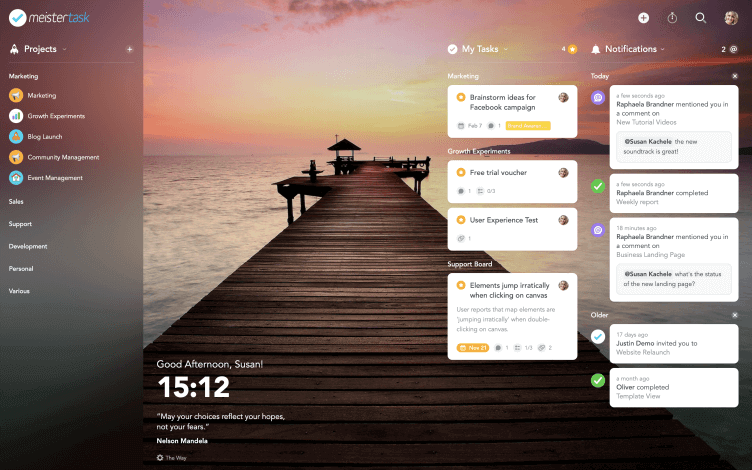
Photo Credit: Meister
Integrates with Your Favorite Tools
MeisterTask helps teams and freelancers work more efficiently by letting them integrate with more than 1,000 other popular tools you already use and love, such as Slack, Zendesk, Github, Microsoft Teams, and more.
MindMeister, a great mind mapping tool from Meister, enables teams to go directly from social brainstorming to agile task management. Also, Spark lets you turn your Spark emails into tasks at the click of a button.
You can also directly import data from other task managers, including Trello, Todoist, and Asana.
Get 15% Off When You Go Pro
The best way to take advantage of all MeisterTask has to offer is to go pro. You can get unlimited automations and 15% off by going to MeisterTask.com/5am and use Promo Code MIRACLE.
Feel free to reach out to me with any questions you have about MeisterTask, or any other digital productivity tool.
Thanks!